Key Takeaways:
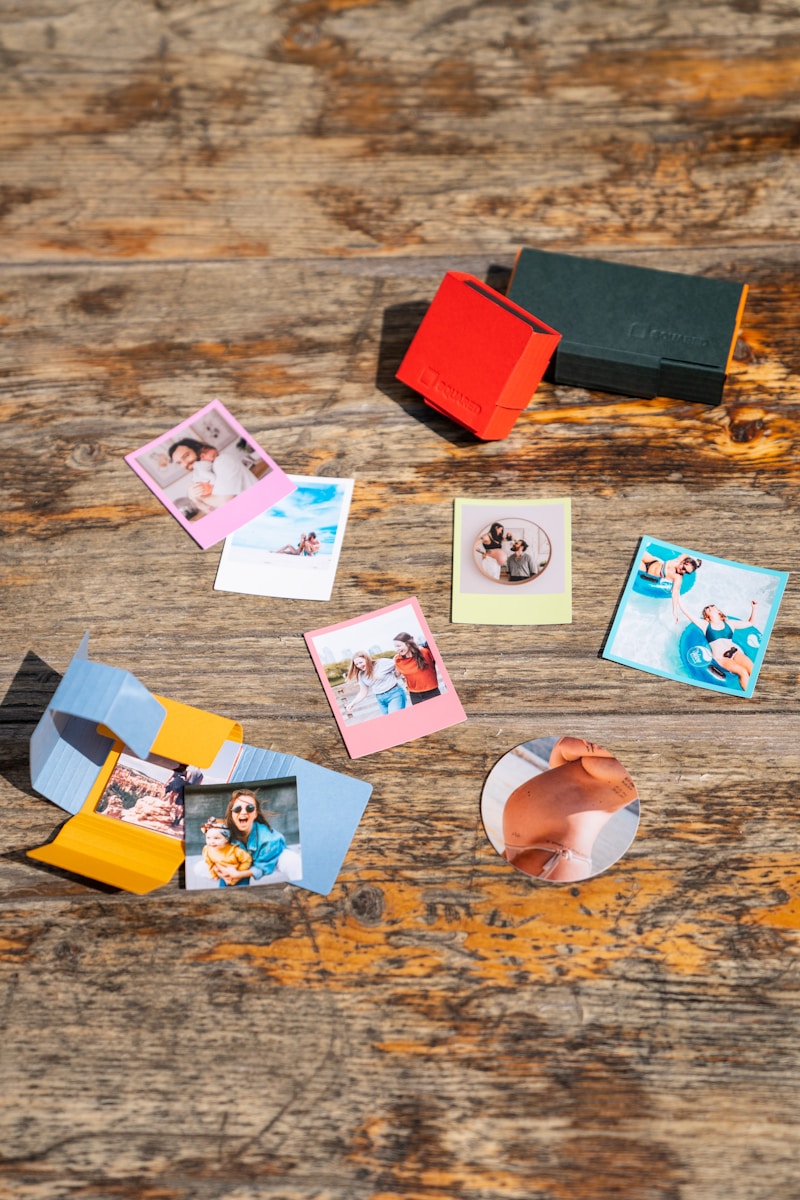
A wallet size photo is a small-format print designed to fit inside the standard card slots of a wallet. The most common dimensions are 2.5 x 3.5 inches (6.4 x 8.9 cm) or 2 x 3 inches (5.1 x 7.6 cm), making them the perfect size for carrying memories of loved ones, pets, or travel moments wherever you go.
What is wallet size photo exactly, and why does everyone seem to have a different answer? If you have ever tried to print a picture for your grandfather’s bi-fold or a locket for a partner, you know the struggle of getting the crop just right. It is that classic, nostalgic format that bridges the gap between digital convenience and the tactile warmth of a physical keepsake. While our phones hold thousands of images, there is something uniquely personal about a physical print that lives in your pocket.
The Standard Dimensions of a Wallet Size Photo
While it sounds like a single standard, “wallet size” actually refers to a small range of dimensions. The most widely accepted industry standard for a wallet size photo is 2.5 x 3.5 inches. This size is often called “2R” in professional photography circles.
However, as wallets have become slimmer and more minimalist, a slightly smaller version—2 x 3 inches—has become incredibly popular. This smaller size is roughly the same dimensions as a credit card, allowing it to slide into almost any modern card slot without bending the edges.
Common Measurements at a Glance
- Standard (2R): 2.5 x 3.5 inches (6.4 x 8.9 cm)
- Credit Card Size: 2 x 3 inches (5.1 x 7.6 cm)
- Mini Wallet: 1.5 x 2.5 inches (3.8 x 6.4 cm)
- Square Variation: 2 x 2 inches (5.1 x 5.1 cm)
Why We Still Love the Wallet Size Photo
In an era of cloud storage and instant sharing, you might wonder why the wallet size photo remains a staple. The answer is simple: accessibility and emotion. You don’t need a battery or a Wi-Fi connection to glance at a photo of your kids or your spouse.
These prints are also the “social media” of the physical world. For decades, school portraits were traditionally sold in “wallet sheets” so kids could trade photos with friends. Today, they serve as excellent bookmarks, fridge magnets, or inserts for transparent ID windows in purses. According to the historical archives at Kodak, small-format prints have been a cornerstone of personal storytelling for over a century, proving that some traditions are too good to let go.
How to Print a Wallet Size Photo at Home
You don’t need a professional lab to get great results. If you have a decent inkjet printer and some glossy paper, you can create your own “sheet” of prints in minutes.
- Select your image: Choose a photo where the subjects are centered. Because wallet prints are small, busy backgrounds can make the image look cluttered, so lightly refining it with a photo enhancer can help improve clarity and focus.
- Check the resolution: For a crisp 2.5 x 3.5 inch print, aim for at least 750 x 1050 pixels. This ensures a high pixel density (300 DPI) so the photo doesn’t look grainy.
- Use a template: Most photo editing software (like Canva or Photoshop) or even basic Word processors have templates. You can usually fit 4 to 9 wallet photos on a single 8.5 x 11 inch sheet of photo paper.
- Print and trim: Use a paper trimmer or a very steady hand with scissors. Cutting slightly inside the border often helps the photo slide into tight wallet slots more easily.
A Quick Comparison: Wallet Size vs. Passport Photos
It is easy to confuse these two because they are both small, but they serve very different purposes. A wallet size photo is for personal use and has flexible dimensions. A passport photo, however, is a legal document with very rigid requirements.
| Feature | Wallet Size Photo | Passport Photo |
| Standard Size | 2.5 x 3.5 inches | 2 x 2 inches (US Standard) |
| Purpose | Keepsake / Personal | Official Identification |
| Requirements | Any pose or background | White background, neutral face |
| Aspect Ratio | Roughly 5:7 | 1:1 (Square) |
Common Mistakes to Avoid
Even though it’s a small print, things can go wrong. Here are the most frequent blunders people make when dealing with a wallet size photo:
- Aggressive Cropping: Because the aspect ratio is narrow, you might accidentally cut off someone’s head or shoulder if the original photo was a wide landscape.
- Low Resolution: Pulling a tiny thumbnail from a social media message often results in a “pixelated” mess. Always use the original high-resolution file.
- Forgetting the “Bleed”: If you are putting the photo in a frame or a tight plastic sleeve, the very edges might be hidden. Keep the important parts of the face away from the extreme edges.
- Paper Choice: Using regular printer paper will make the photo look dull and it will wear out quickly. Always use dedicated photo paper (glossy or matte) for durability.
Pros and Cons of Physical Wallet Prints
Pros:
- Always Visible: No need to unlock a phone or find an app.
- Great Gifts: Perfect for sticking inside a greeting card or a graduation announcement.
- Tangible Connection: There is a psychological comfort in holding a physical object.
Cons:
- Wear and Tear: Photos in wallets can fade or get creased over time due to friction.
- Limited Space: Most wallets can only hold one or two photos before becoming bulky.
- Static: Unlike a digital screen, you can’t swipe to the next memory.
Where to Buy Professional Wallet Prints
If you don’t want to mess with printer settings at home, plenty of retailers offer these services for a few cents. Big-name pharmacies like CVS Photo or specialized online labs like Shutterfly allow you to upload images directly from your phone. They usually provide them in sets of two or four, pre-cut or on a single sheet.
Frequently Asked Questions
Is a 2×3 photo the same as a wallet size photo?
Yes, 2×3 inches is considered a modern wallet size. It is specifically designed to match the dimensions of a standard credit card, making it the most compatible size for minimalist wallets and card-holders.
What aspect ratio should I use for a wallet photo?
For the standard 2.5 x 3.5 inch size, you are looking at an aspect ratio of 5:7. If you are printing the 2×3 inch version, the ratio is 2:3.
Can I use a wallet size photo for a passport application?
Generally, no. Most passport authorities require a specific 2×2 inch square format with very particular head-size ratios. While a wallet photo might physically fit in the envelope, it will likely be rejected for not meeting official specifications.
How many wallet photos fit on a 4×6 print?
If you are using a standard 4×6 inch print service to save money, you can usually fit two 2.5 x 3.5 inch photos or four 2×3 inch photos on a single 4×6 sheet. You will just need to cut them out yourself afterward.
What is the best paper finish for a wallet photo?
Glossy finishes make colors “pop,” but they are prone to fingerprints and can sometimes stick to the plastic windows of a wallet. A matte or “lustre” finish is often better for a photo that will be handled frequently or tucked behind plastic.