Introduction: Understanding How Many Keys on a Keyboard
If you’ve ever found yourself asking how many keys on a keyboard, you’re not alone. Whether you’re a casual user, a gamer, or a programmer, understanding the number of keys and what they do can greatly enhance your productivity and experience. The number of keys on a keyboard can vary depending on the model, layout, and function of the device. In this article, we’ll explore standard keyboard layouts, variations across devices, regional differences, and the purpose of different types of keys.
The Standard Keyboard: How Many Keys Does It Have?
When people ask how many keys on a keyboard, they’re usually referring to the standard full-size keyboard, often used with desktop computers. The standard U.S. QWERTY keyboard includes 104 keys. Here’s how those keys break down:
- Alphabet keys (A-Z): 26 keys
- Number keys (0-9): 10 keys (top row)
- Function keys (F1-F12): 12 keys
- Control keys: Ctrl, Alt, Shift, Windows key, etc.
- Navigation keys: Arrow keys, Home, End, Page Up, Page Down
- Numeric keypad: Typically 17 keys
- Punctuation and special characters: Such as
;,:,@, etc.
The 104-key layout is the default for most English-language keyboards.
Keyboard Layouts Around the World
The number of keys on a keyboard isn’t always the same worldwide. Different countries have localized layouts which can include additional keys.
Examples of Layout Variations:
- ANSI (American National Standards Institute): 104 keys – standard in the United States.
- ISO (International Organization for Standardization): 105 keys – common in Europe.
- JIS (Japanese Industrial Standard): 109 keys – used in Japan, includes extra keys for kana input.
These differences are mostly due to language requirements and special characters used in different countries. For example, French keyboards use the AZERTY layout, and German ones use QWERTZ, both of which adjust the key count slightly.
Laptop Keyboards vs. Desktop Keyboards
When discussing how many keys on a keyboard, laptop keyboards deserve their own section. Laptop keyboards often have fewer keys than their desktop counterparts due to space constraints.
Laptop Keyboard Key Counts:
- Compact laptop (13-inch or smaller): Around 78–84 keys
- Standard laptop (15-inch): Usually around 85–88 keys
- Laptops with numeric keypads (17-inch): Can go up to 100+ keys
Many laptops combine function keys with other keys using an Fn key, allowing for media controls and shortcuts without needing extra physical keys.
Specialized Keyboards and Their Key Counts
Besides standard models, there are specialized keyboards that deviate significantly in key count.
Mechanical Keyboards
- 60% keyboards: About 61 keys
- 65% keyboards: Around 68–71 keys
- 75% keyboards: Typically 80–84 keys
- Tenkeyless (TKL) keyboards: Around 87–88 keys (without number pad)
- Full-sized mechanical keyboards: 104–108 keys
These are popular with gamers and coders for their customizability, feel, and space efficiency.
Gaming Keyboards
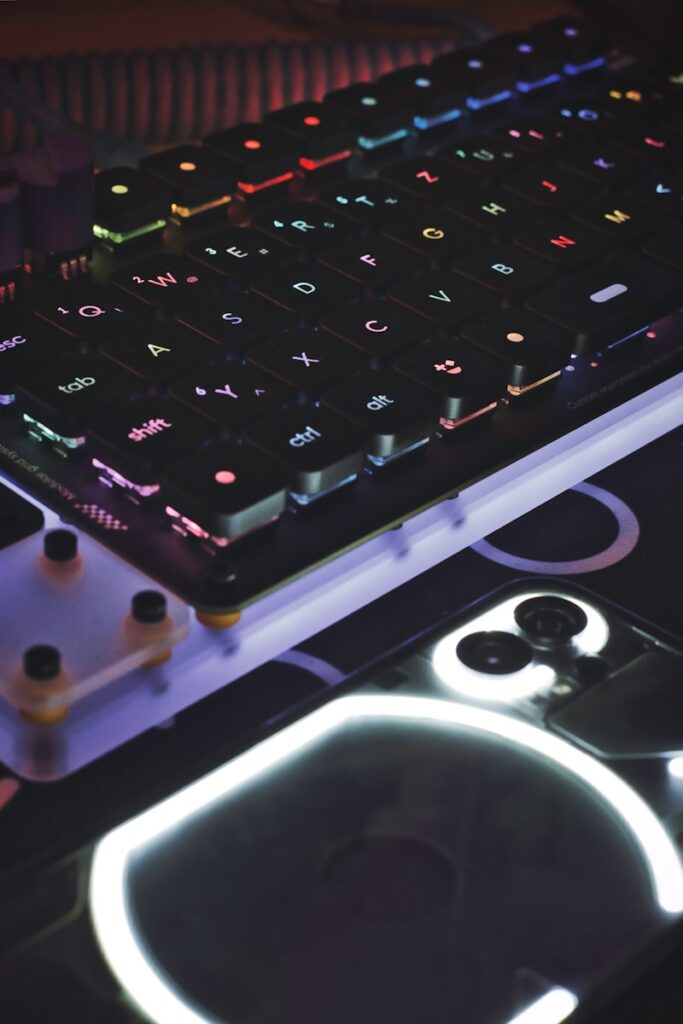
Gaming keyboards often come with macro keys, RGB control buttons, or dedicated media keys. Some models feature over 120 keys, especially if they include extra rows or programmable pads.
How Many Keys on a Keyboard: A Breakdown by Device Type
Here’s a summarized list to help answer the question clearly for different device types:
| Device Type | Approximate Number of Keys |
|---|---|
| Full-size desktop (ANSI) | 104 |
| Full-size desktop (ISO) | 105 |
| Laptop (compact) | 78–84 |
| Laptop with Numpad | 100–102 |
| 60% keyboard | 61 |
| 65% keyboard | 68–71 |
| 75% keyboard | 80–84 |
| Tenkeyless (TKL) | 87–88 |
| Mechanical (custom) | Varies (60–120+) |
| Gaming keyboards | 104–130+ |
| MacBook keyboards | 78–79 |
| Chromebook keyboards | Around 74–78 |
Why the Number of Keys Matters
Understanding how many keys on a keyboard can help you:
- Choose the right keyboard for your workflow
- Understand the key functionality
- Improve typing speed and ergonomics
- Customize your key bindings or shortcuts
- Select gaming or programming-friendly models
If you’re a developer, for instance, you might benefit from extra macro keys or a tenkeyless layout. If you’re a data analyst, a dedicated number pad is essential.
Key Categories and Their Functions
1. Alphanumeric Keys
These are the main typing keys: A-Z, numbers, and symbols.
2. Function Keys (F1–F12)
Used to execute commands like refreshing a page (F5), opening help (F1), or adjusting brightness and volume.
3. Modifier Keys
Include Shift, Ctrl, Alt, and the Windows or Command key. They alter the behavior of other keys.
4. Control Keys
Include Esc, Tab, Caps Lock, Enter, Backspace, and Delete. These control how text and data are entered or edited.
5. Navigation Keys
Arrow keys, Home, End, Page Up, and Page Down. Used for moving the cursor.
6. Numeric Keypad
A calculator-style pad on the right side of many keyboards. It allows for quick numerical entry.
7. System and Media Keys
Found more commonly on modern keyboards, these include volume control, mute, play/pause, screen brightness, and more.
What About Virtual Keyboards?
Virtual or on-screen keyboards don’t have physical keys, but the number of keys displayed typically matches that of the device’s default layout.
- Windows on-screen keyboard: Mimics the 104-key layout
- Smartphone keyboards: Vary, but usually include A-Z, numbers, emoji, and function layers
How Many Keys Do You Really Use?
Although most keyboards have over 100 keys, studies show that average users only use about 50–70 keys regularly. Power users, like programmers or gamers, may use nearly every key depending on their configuration.
Fun Facts About Keyboard Keys
- The longest key on most keyboards is the spacebar.
- The most used key is typically the spacebar, followed by the E key in English typing.
- Some keyboards, like ergonomic split keyboards, separate key clusters for comfort, changing the perceived number of keys.
- The first commercial keyboard based on QWERTY was used in typewriters.
Choosing the Right Keyboard for Your Needs
When evaluating how many keys on a keyboard, your choice should depend on:
- Usage type: Office work, gaming, coding, multimedia
- Portability: Laptops vs. compact mechanical keyboards
- Comfort: Ergonomic layouts vs. standard ones
- Customizability: Hot-swappable switches, RGB lighting, programmable macros
- Operating System: macOS keyboards have Command and Option keys, while Windows uses Ctrl and Alt
Frequently Asked Questions (FAQs)
Q: Do all keyboards have the same number of keys?
No, different layouts (ANSI, ISO, JIS) and form factors (60%, TKL, full-size) affect key count.
Q: Why do some keyboards not have a number pad?
Compact and tenkeyless keyboards remove the number pad to save space or improve ergonomics.
Q: How many keys are on a 60% keyboard?
Typically, 60% keyboards have 61 keys and lack function and arrow keys (though many are accessible via Fn combinations).
Q: How many keys are on a MacBook keyboard?
Most MacBooks have around 78 to 79 keys, depending on the model and regional layout.
Conclusion: The Answer to How Many Keys on a Keyboard
So, how many keys on a keyboard? The answer isn’t one-size-fits-all. While the standard desktop keyboard includes 104 keys, compact keyboards, gaming models, laptops, and international layouts vary greatly in their total key count. Understanding these differences can help you choose a keyboard that fits your specific needs—whether you’re typing essays, crunching numbers, or battling it out in a competitive game.
Whether you’re going for a minimalist setup with 60 keys or a full-blown programmable macro board with 130, there’s a keyboard out there for everyone.