Introduction: What Makes the 24″ Dell S2419HGF a Standout Monitor?
The 24″ Dell S2419HGF is a high-performance gaming monitor that continues to impress with its speed, responsiveness, and sleek design. Known for its full HD resolution and 144Hz refresh rate, this monitor offers a compelling balance between cost and functionality.
In an era flooded with flashy ultra-wide and curved displays, this Dell monitor holds its ground by delivering exactly what gamers and everyday users need—crisp visuals, low input lag, and reliability without breaking the bank.
Crisp Visuals and Fluid Gameplay: A Deeper Look at the Display
The 24″ Dell S2419HGF features a TN (Twisted Nematic) panel, which is commonly chosen for gaming due to its lightning-fast response times. While TN panels traditionally compromise color accuracy and viewing angles, this model has optimized performance to reduce those drawbacks, especially when viewed straight on.
Key display features:
- 24-inch screen with 1920 x 1080 Full HD resolution
- 144Hz refresh rate for ultra-smooth visuals
- 1ms response time to eliminate ghosting
- Anti-glare coating for reduced reflections
For competitive gamers playing fast-paced titles like Call of Duty, Fortnite, or Valorant, the refresh rate and response time are game-changers. You’ll notice less blur during rapid movements and greater control in intense gameplay scenarios.
Smooth Performance with AMD FreeSync Support
One of the standout features of the 24″ Dell S2419HGF is its AMD FreeSync™ technology, which minimizes screen tearing and stuttering by syncing the monitor’s refresh rate with your GPU’s frame rate.
Even if you don’t use an AMD graphics card, this monitor is compatible with NVIDIA G-Sync (via DisplayPort) for added versatility. This dual compatibility makes it future-proof for users considering upgrading their graphics card.
Build Quality and Design: Functional with a Hint of Style
At first glance, the 24″ Dell S2419HGF has a minimalistic, gamer-friendly aesthetic. It features thin bezels, a matte black chassis, and a sturdy adjustable stand.
The stand supports:
- Height adjustment
- Tilt
- Swivel
- Pivot
This range of motion is not always available in monitors at this price point, which makes it easy to adjust the screen for comfort and ergonomics—whether you’re seated or standing.
Additionally, VESA mount compatibility (100mm x 100mm) means you can mount it on an arm or wall to free up desk space.
Connectivity Options: Plug and Play Ready
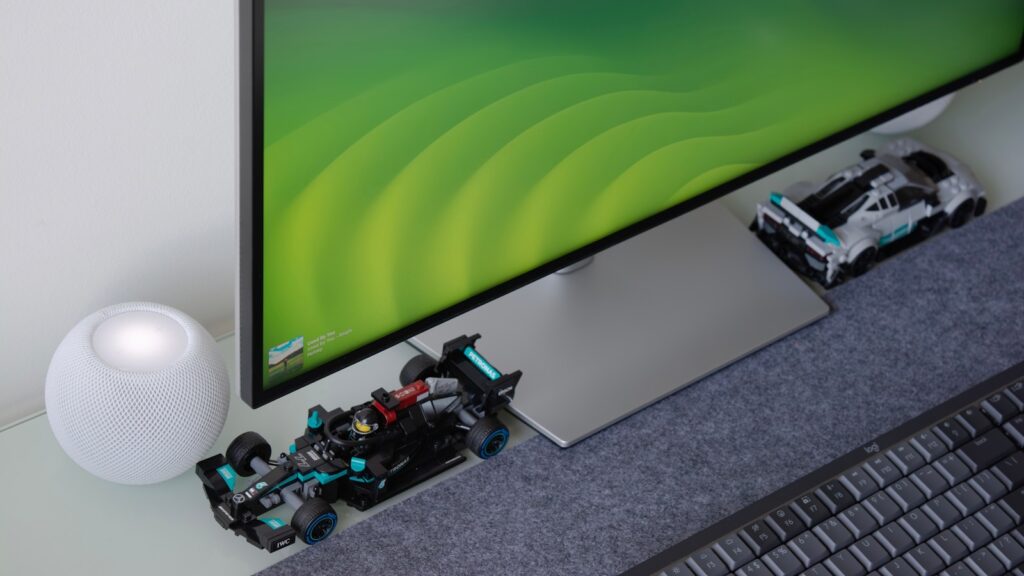
The 24″ Dell S2419HGF comes equipped with all the essential ports:
- 2 x HDMI 1.4
- 1 x DisplayPort 1.2
- 1 x Audio line-out (for external speakers or headphones)
- 2 x USB 3.0 downstream ports
These connections allow for seamless integration with gaming consoles, PCs, and even streaming devices. You can easily connect multiple devices and switch between them without needing to rewire your setup.
User Interface and On-Screen Display
Dell includes an intuitive on-screen display (OSD) menu that’s easy to navigate using the physical buttons located on the monitor’s underside. The OSD provides customization over:
- Color settings
- Input source
- Display settings
- Response time adjustments
- Gaming presets
This level of control helps users tweak their experience depending on whether they’re watching a movie, working, or gaming competitively.
Is the 24″ Dell S2419HGF Good for Work and Everyday Use?
While it’s marketed as a gaming monitor, the 24″ Dell S2419HGF holds its own in professional environments. The 1080p resolution provides ample clarity for documents, emails, and spreadsheets.
Its 24-inch size is ideal for small to medium desks and dual-monitor setups. The fast response time also benefits video editors and developers looking for real-time feedback and responsiveness.
However, due to its TN panel, color reproduction may not be ideal for photo editing or design work that requires color precision. For general office use or content consumption, though, it’s more than adequate.
Comparing the 24″ Dell S2419HGF with Similar Models
Dell S2421HGF vs Dell S2419HGF
- The newer S2421HGF has similar specs but slightly better contrast ratios.
- The S2419HGF often offers better pricing, especially on refurbished or clearance deals.
AOC 24G2 vs Dell S2419HGF
- The AOC 24G2 has an IPS panel for wider viewing angles and richer colors.
- The S2419HGF edges out in response time and generally has fewer motion blur issues.
ASUS VG248QG vs Dell S2419HGF
- The ASUS VG248QG includes a built-in speaker and slightly better color calibration.
- The Dell S2419HGF tends to have better ergonomic features and a cleaner design.
What Real Users Are Saying
Across tech forums and customer reviews, users highlight:
Pros:
- Great value for money
- Reliable performance for competitive gaming
- Solid build quality and adjustability
- Very low input lag
Cons:
- Color accuracy isn’t ideal for creative work
- Limited HDR support
- TN panel has limited viewing angles
Who Should Buy the 24″ Dell S2419HGF?
This monitor is an excellent choice if you fall into one of these categories:
- Competitive gamers looking for smooth gameplay at 144Hz
- Students and remote workers who want a reliable display
- Users building a budget gaming setup
- Dual-monitor enthusiasts needing a responsive second screen
It’s less ideal for photographers or color-critical design work, but for everything else—especially gaming—it hits the mark.
Tips to Get the Most Out of Your 24″ Dell S2419HGF
- Use DisplayPort for G-Sync compatibility.
This unlocks smoother gaming if you’re using an NVIDIA GPU. - Calibrate your colors manually.
Basic calibration tools can improve your experience, especially for video content. - Adjust height and tilt for posture.
Setting your monitor at eye level helps reduce neck strain during long sessions. - Enable Overdrive mode.
This helps eliminate trailing or motion blur in high-speed games.
Final Verdict: A Solid Performer at a Competitive Price
The 24″ Dell S2419HGF delivers what most users need from a modern monitor—reliability, speed, and affordability. While it may not dazzle with ultra-premium features or 4K resolution, it excels where it matters most for gamers and productivity users.
If you’re after a responsive, well-built 144Hz monitor without paying a premium, this model remains a smart investment. Its longevity and widespread compatibility ensure it still holds relevance in a fast-changing tech landscape.
Where to Find the 24″ Dell S2419HGF
This model is widely available on:
- Dell’s official website (sometimes in refurbished stock)
- Amazon and Newegg
- Electronics retailers like Best Buy
- Local tech resellers
Be sure to compare prices and check for deals on refurbished or open-box units, which often come with a warranty.
Conclusion
Despite a crowded market full of flashy alternatives, the 24″ Dell S2419HGF remains a go-to monitor for gamers and multitaskers who value performance and simplicity. It’s not just another 1080p display—it’s a refined experience designed to keep you in control, whether you’re in a ranked match or managing multiple windows during work hours.