A 1TB SSD is one of the most popular storage upgrades for anyone seeking a boost in speed, performance, and reliability. Whether you’re a gamer looking to reduce load times, a creative professional managing large media files, or simply tired of your slow, aging hard drive, a 1TB solid-state drive can dramatically improve your computer’s responsiveness and productivity.
In this guide, we’ll explore everything you need to know about 1TB SSDs—how they work, their key benefits, different types, use cases, and buying tips to help you make the best choice.
What Is a 1TB SSD?
A 1TB SSD, or one-terabyte solid-state drive, is a storage device that uses NAND flash memory to store data, offering faster read and write speeds compared to traditional hard disk drives (HDDs). Unlike HDDs, SSDs have no moving parts, making them more durable and less prone to failure due to mechanical wear.
1TB refers to the storage capacity—1 terabyte equals approximately 1,000 gigabytes. This size provides a substantial amount of space, capable of storing:
- Over 250,000 photos
- Around 250 full HD movies
- Thousands of songs and documents
- Several large video games or creative projects
Benefits of Upgrading to a 1TB SSD
1. Faster Boot Times and App Loading
Speed is the most immediate and noticeable advantage. A 1TB SSD can reduce your system’s boot time from minutes to seconds. Applications, especially large ones like Photoshop, Premiere Pro, or modern video games, also launch almost instantly.
2. Improved System Responsiveness
Tasks like searching files, launching programs, switching tabs, or running updates become smoother. You’ll experience fewer delays and much faster multitasking.
3. Energy Efficiency and Lower Heat Output
SSDs consume less power and generate less heat than HDDs. This is especially useful for laptops, where battery life and thermal performance are critical.
4. Silent Operation
With no spinning disks or moving arms, SSDs operate silently. This contributes to a quieter workspace—ideal for professionals working in audio or video editing.
5. Durability and Reliability
SSDs are more resistant to shock, vibration, and drops compared to HDDs. This reliability makes a 1TB SSD a safer place to store important files.
Different Types of 1TB SSDs
Understanding the form factors and interfaces is crucial when choosing your upgrade.
1. SATA SSD
SATA SSDs are the most common and affordable type. They use the same interface as traditional hard drives and typically come in a 2.5-inch form factor. While not the fastest, they are compatible with most desktops and laptops.
Pros:
- Widely compatible
- Affordable
Cons:
- Slower speeds (~500 MB/s)
2. NVMe SSD
NVMe (Non-Volatile Memory Express) SSDs use the PCIe interface, which allows for much faster data transfer—up to 3500 MB/s or more.
They come in M.2 or PCIe card formats and are ideal for those needing high-speed data access, such as gamers, software developers, and video editors.
Pros:
- Lightning-fast performance
- Compact design (M.2)
Cons:
- Slightly higher cost
- May require motherboard compatibility
3. External 1TB SSD
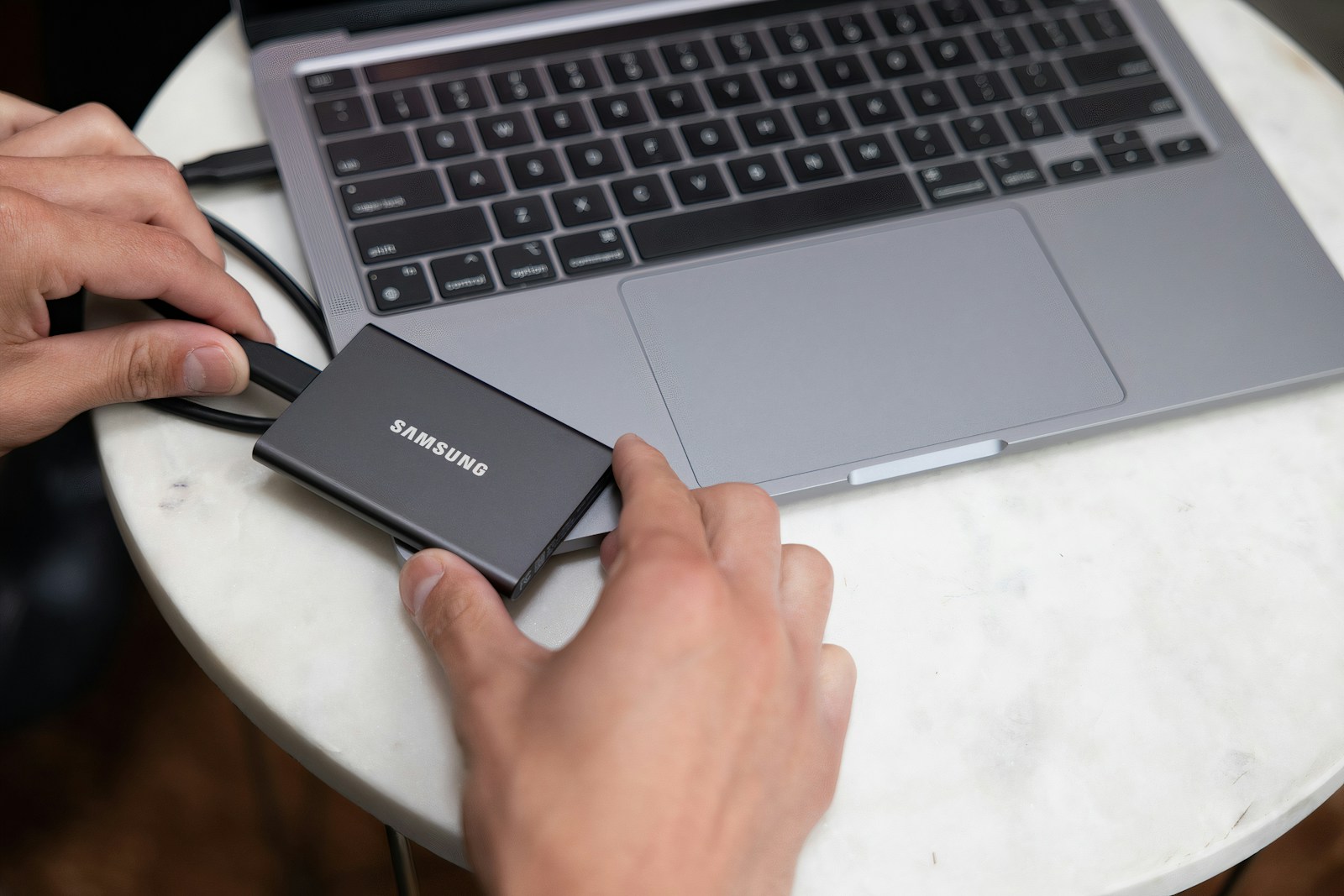
External SSDs connect via USB 3.1, USB-C, or Thunderbolt and offer plug-and-play access. They’re great for backing up files or transferring data between computers.
Pros:
- Portable and convenient
- Plug-and-play compatibility
Cons:
- Slightly slower than internal drives

Best Use Cases for a 1TB SSD
For Gamers
Games today can take up 100GB+ each. A 1TB SSD gives you enough space for multiple AAA titles with room left for updates and other files. Faster load times also mean less waiting and more playing.
For Creative Professionals
Photographers, videographers, designers, and 3D artists regularly work with large files. A fast and reliable 1TB SSD reduces lag during editing, speeds up file rendering, and provides a dependable workspace for ongoing projects.
For Students and Remote Workers
Students and professionals using laptops will benefit from the improved boot times and responsiveness when switching between applications like Zoom, Microsoft Office, Google Chrome, and more.
For Content Creators and Streamers
With large files for videos, streams, and editing projects, a 1TB SSD ensures you can store raw footage, project files, and finished content without constantly juggling space.
How to Choose the Right 1TB SSD
When selecting a 1TB SSD, consider these key factors:
1. Compatibility
- Check your device’s specs (desktop or laptop)
- Does it support M.2 NVMe or only SATA?
2. Performance Needs
- Gamers and creators should go for NVMe SSDs.
- Everyday users can choose SATA for decent performance at a lower price.
3. Brand Reliability
Stick to reputable brands like:
- Samsung (e.g., 980 Pro, 870 EVO)
- Crucial (MX500, P5)
- WD (Blue SN570, Black SN850)
- Kingston, Sabrent, or SanDisk
4. Warranty and Endurance (TBW)
- Look for at least a 3- to 5-year warranty
- TBW (terabytes written) indicates how much data the drive can write before it may fail. A higher TBW is better for intensive users.
5. Price
- A 1TB SATA SSD ranges from $40 to $70
- A 1TB NVMe SSD can range from $60 to $150 depending on speed and brand
- External SSDs cost slightly more due to portability
Setting Up Your 1TB SSD
Installing a 1TB SSD is relatively simple, especially with a bit of guidance:
1. For Internal SSDs
- Open your PC or laptop case
- Mount the SSD in the appropriate slot (2.5″ bay for SATA, M.2 slot for NVMe)
- Connect it to the motherboard and power supply
- Use disk management tools to initialize, partition, and format the drive
- Clone your OS if upgrading from HDD or install a fresh OS
2. For External SSDs
- Plug the SSD into your USB or USB-C port
- The drive should be recognized automatically
- You can format it to your preferred file system (NTFS, exFAT, etc.)
Frequently Asked Questions
Is 1TB SSD enough for gaming?
Yes, a 1TB SSD provides plenty of space for most gamers. You can comfortably store 10–15 large games, plus updates and saved files.
Can I replace my HDD with a 1TB SSD?
Absolutely. Replacing your HDD with a 1TB SSD can breathe new life into older machines, making them much faster and more responsive.
Does a 1TB SSD improve internet speed?
No. SSDs don’t directly affect your internet speed, but they do make programs and browsers load faster, enhancing your overall online experience.
How long does a 1TB SSD last?
Depending on usage and brand, a 1TB SSD can last anywhere from 5 to 10 years. Most users will never hit the write limits of modern SSDs under typical workloads.
Alternatives: When to Go Higher or Lower in Storage
While a 1TB SSD strikes the perfect balance, there are other options based on your needs:
- 500GB SSD: Good for light users with basic needs
- 2TB SSD: Ideal for creators, developers, or gamers with large libraries
- 4TB+ SSDs: Best for enterprise, server use, or massive content creation workflows
If budget is tight, consider starting with 500GB and adding external storage later. If your work involves video editing or 4K content, go bigger if you can.
Final Thoughts: Why a 1TB SSD Is Worth It
A 1TB SSD is one of the best investments you can make in your digital life. It dramatically improves performance, reduces loading times, enhances multitasking, and provides ample storage for most users.
Whether you’re replacing a sluggish hard drive or building a powerful new system, a 1TB SSD offers the perfect mix of speed, capacity, and cost-effectiveness. From gaming to creative work, remote learning to content streaming, the benefits are immediate and long-lasting.
As SSD prices continue to fall and performance continues to improve, there’s never been a better time to make the switch.
Ready to upgrade? Choose a trusted brand, verify your device’s compatibility, and enjoy the speed and space a 1TB SSD brings. Your future self will thank you.