How Mobile OS Design Influences Trading App Usability
The phone we use changes our trading experience more than we realize. The two major mobile operating systems, iOS and Android, take very different approaches to how apps run and feel.
Why the Operating System Matters More Than You Think
The top firms in the financial markets need to develop apps for both Android and iOS users. This is because both operating systems control about 99.72% of the total mobile market. Android holds about 68.24% of the global smartphone market, while iOS accounts for about 31.48%.
Now, while a trading app might be built by the same company for both platforms, the experience can differ significantly depending on the OS. The way iOS and Android handle features such as navigation, notifications, security and background processes can make apps feel different for users. iOS users also tend to spend more on app features. The App Store generated roughly $138 billion in revenue in 2025 compared to about $80 billion on Google Play. This means iOS users are more likely to use premium features and paid research tools in their trading apps.
Key Areas Where iOS and Android Differ for Trading Apps
The differences between iOS and Android show up most clearly in four areas that matter to traders: security, navigation, notifications and charts.
Security

Both platforms let users log in with their face or fingerprint but what differs is the way they do this. Apple has built a dedicated chip called the Secure Enclave that handles all biometric data separately from the rest of the phone. Face ID or Touch ID data never leaves that chip. On top of that, every app on the App Store goes through Apple’s review process before it reaches the phone. For a trading app, this means fast login with strong hardware level protection baked in from the start.
However, for Android, it depends on the phone. A Samsung Galaxy S25 Ultra will give security that’s right up there with an iPhone. But a budget phone from a lesser-known brand might cut corners on how it stores your fingerprint data. Android’s open system gives developers more control over app permissions, which is great if they know what they’re doing. But it also means more room for things to go wrong if they don’t.
Navigation and Trade Execution
Speed matters when placing or closing a trade. The way each operating system handles navigation and gestures affects how quickly a trader can act.
iOS uses a consistent design language across all apps. Buttons, menus and gestures behave the same way regardless of the app. A trader using the Oanda app on an iPhone will find the same swipe and tap patterns they use across the rest of the device. This predictability reduces the chance of misplaced taps during fast moving markets.
Android offers developers more freedom to customise the interface. Some trading apps on Android include gesture based order placement, home screen widgets that display live portfolio data and layout options that let traders arrange the app to suit their workflow. However, Android runs on hundreds of different devices with varying screen sizes, processors and software versions. This fragmentation means not every trading app performs the same way on every handset.
Notifications and Alerts
A price notification that arrives even a few seconds late during a volatile session can lead to missed opportunities or unmanaged risk.
iOS delivers notifications through a single controlled system so that apps cannot override user settings, and alerts arrive consistently across all devices.
On the other hand, Android provides more flexibility. Users can assign priority levels to different apps, create custom notification channels and allow specific apps to bypass Do Not Disturb mode. This suits traders who want precise control over which alerts they receive. However, some Android manufacturers apply aggressive battery optimisation that can delay or suppress background notifications.
Charts and Display
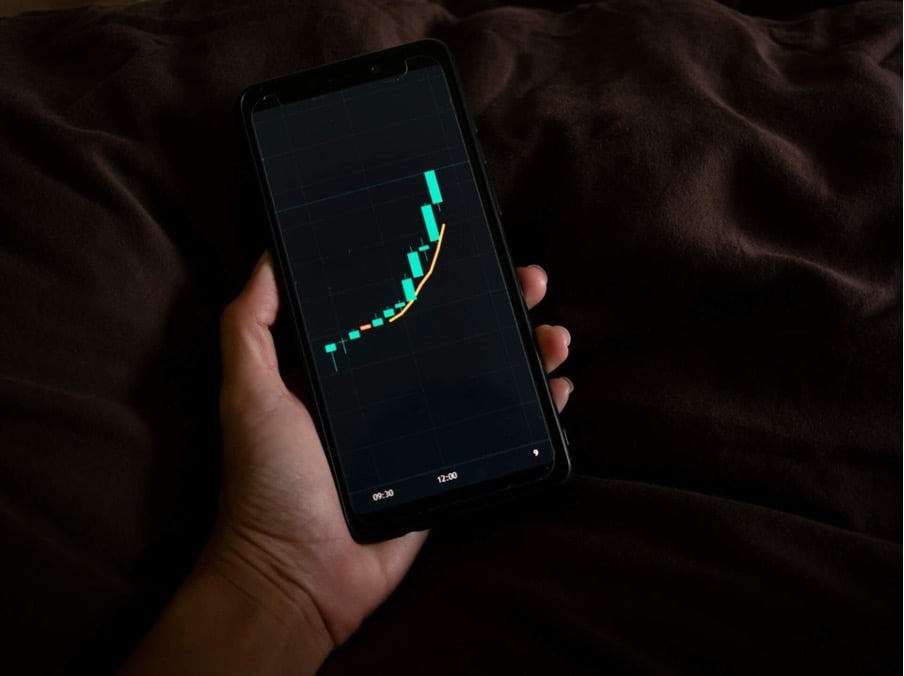
Charting is one of the most used features in any mobile trading app. The quality of the experience depends on how the device handles real time data rendering.
Apple’s integration of hardware and software means trading apps on iOS tend to display charts at consistent frame rates. The limited number of iPhone screen sizes also makes it easier for developers to optimise layouts for a smooth experience.
Android offers more variety in display options. Devices like the Samsung Galaxy Ultra series provide larger screens with higher resolutions, giving traders more room for charts, watchlists and order books. Foldable devices like the Galaxy Z Fold allow split screen use, where a charting app can run on one side and an order ticket on the other. This type of multitasking is not currently available on any iPhone model.
Which Operating System Suits Different Trading Needs
The better choice depends on the trader’s priorities. iOS offers a more uniform and secure experience with minimal configuration required. It suits traders who value reliability and consistency across their apps.
Android provides greater customisation, larger screen options and more flexible notification controls. It appeals to traders who prefer to tailor their setup and are willing to invest in a quality device to get the best experience. The gap between a flagship Android phone and a budget model is significant, and that difference shows up clearly in trading app performance.
Matching the Platform to the Trading Approach
The operating system on a trader’s phone directly affects how they execute trades, receive alerts and secure their accounts. Neither platform is universally better. The right choice depends on what the trader values most, and that decision is worth making deliberately rather than by default.